Hidden Feature: Choose Who Drives Your Deck Into the Gauntlet
Published 2026-07-07
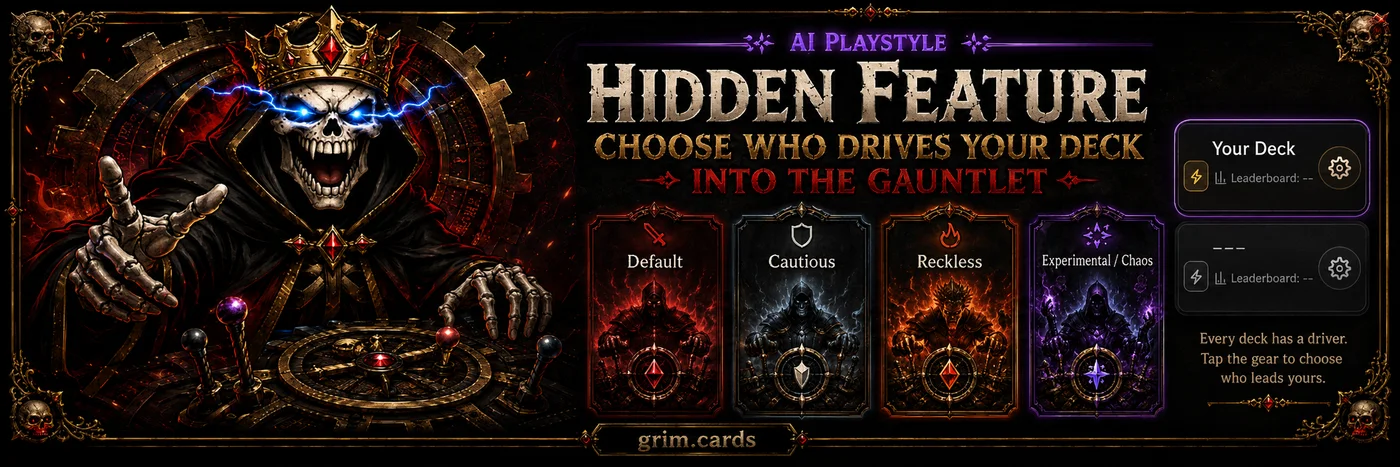
Most people upload a deck to Grim.Cards, run the test, and wait for the Reaper to hand back the bad news.
But there’s a feature hiding behind the gear icon on each deck that a lot of players may not realize is there:
You can choose how the AI pilots your deck.
That matters because a deck is not just a pile of cards. It is timing, risk, attacks, blocks, patience, greed, and the occasional glorious decision to send everything sideways and let the graveyard sort it out.
Inside your deck details, Grim.Cards lets you choose an AI Playstyle for future simulations.
Default
Balanced, well-rounded play.
This is the baseline. The “play normal Magic and try not to embarrass the deck” setting. Use this when you want a clean read on how your deck performs under standard play.
Cautious
Defensive and conservative.
This profile holds back resources and avoids unnecessary risks. If your deck wants to survive, stabilize, protect key pieces, and win later, this may give you a different view of what the deck can actually do.
Reckless
Full aggro.
This is the “stop asking permission” setting. It attacks more aggressively and prioritizes speed over safety. If your deck is built to apply pressure, turn creatures sideways, and make the opponent answer you, Reckless may be the driver it deserves.
Experimental / Chaos
The weird one.
This profile leans into trickier decisions like ETB timing, equipment efficiency, planeswalker loyalty, and variable risk thresholds. If your deck is full of odd little engines, timing tricks, or value piles that need a less predictable pilot, this is where things can get interesting.
Why This Matters
A deck can look very different depending on how it is played.
Your control deck might look terrible if it is piloted like a goblin found the gas pedal.
Your aggro deck might underperform if the AI keeps treating every attack like a legal deposition.
Your ETB deck might need a pilot that cares more about timing than brute force.
That is why Grim.Cards lets you change the driver.
And yes, Grim.Cards can go even deeper with card-level suggestions and preferences — ways to help the system understand specific cards, sacrifice choices, tutor priorities, reanimation targets, and more. But that is a whole separate chamber in the dungeon, and we’ll open that door later.
For now, start simple:
Tap the gear icon on your deck.
Choose the AI Playstyle.
Run the deck again.
Because sometimes your deck does not need different cards.
Sometimes it just needs a different maniac behind the wheel.
Test your MTG deck for free at Grim.Cards.